Export Functions
The Export functionality in a bulk editor plugin allows you to download product data from your product table to a file (CSV or Excel).—typically for backup, offline editing, or migration purposes.
Last updated 7 months ago
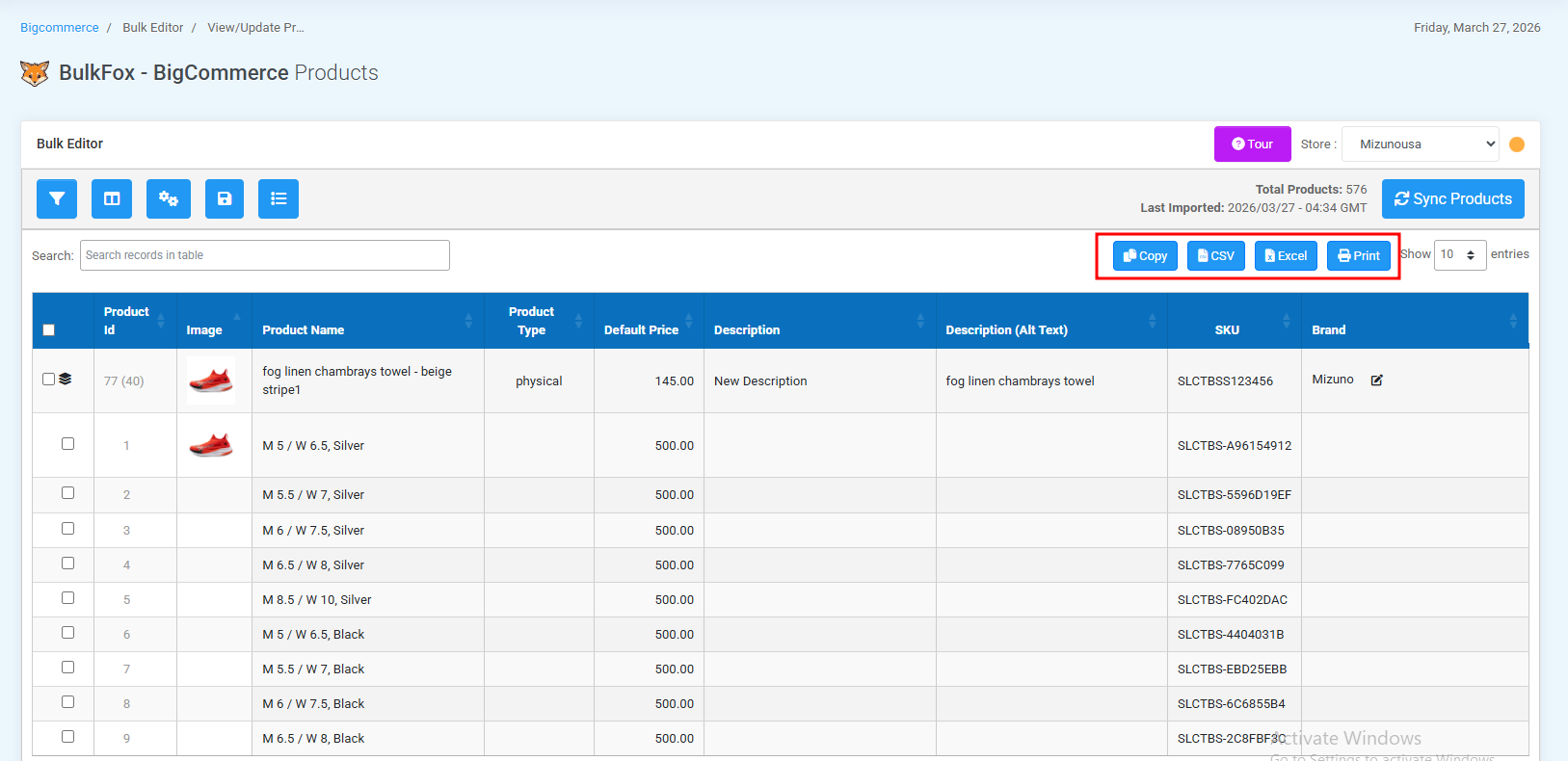
Copy : The Copy feature lets you quickly copy all visible data or selected rows (with variant options) from the Bulk Editor to your clipboard.
How to Use:Select the required rows, or use the checkbox to select all.
Click the Copy button in the Bulk Editor interface.
The selected rows and columns from the table will be copied to your clipboard.
Paste the copied data into a spreadsheet, document, or email using:
Ctrl + V(Windows)cmd + V(Mac)
Note: Only the selected data on the screen is copied.
Export to Excel : Allows you to export selected records (with variant options) in the Bulk Editor as a Microsoft Excel spreadsheet.
How to Use:Select the required rows, or use the checkbox to select all.
Click the Export button in the Bulk Editor interface.
Selected rows (with variants) in the Bulk Editor will be downloaded as a Microsoft Excel spreadsheet (.xlsx format).
Column headers are included in the exported file.
Export to CSV : This option allows you to download the selected records in the Bulk Editor as a .CSV (Comma-Separated Values) file.
A CSV file is a plain text file that stores tabular data in a simple format.
How to Use:Select the required rows, or use the checkbox to select all.
Click the “CSV” button in the Bulk Editor interface.
Theselected records (with or without variants after filtering or sorting) in the Bulk Editor will be downloaded as a .csv file.
Print to PDF : Allows you to generate and download a PDF document of your current product table or selected products. This is useful for sharing, reporting, or offline review of your product data in a clean, printable format. It converts the currently visible products and columns in the Bulk Editor into a PDF file.
How to Use:Select the required rows, or use the checkbox to select all.
Click the “Print PDF” button in the bulk editor interface.
The plugin will generate the PDF and prompt you to download or open it.
Open the PDF in your preferred reader to print or save it.
Was this helpful?
Still need help? Share an idea