Product Filters
The filter functionality allows users to select and modify specific sets of data based on predefined criteria.
Last updated 7 months ago
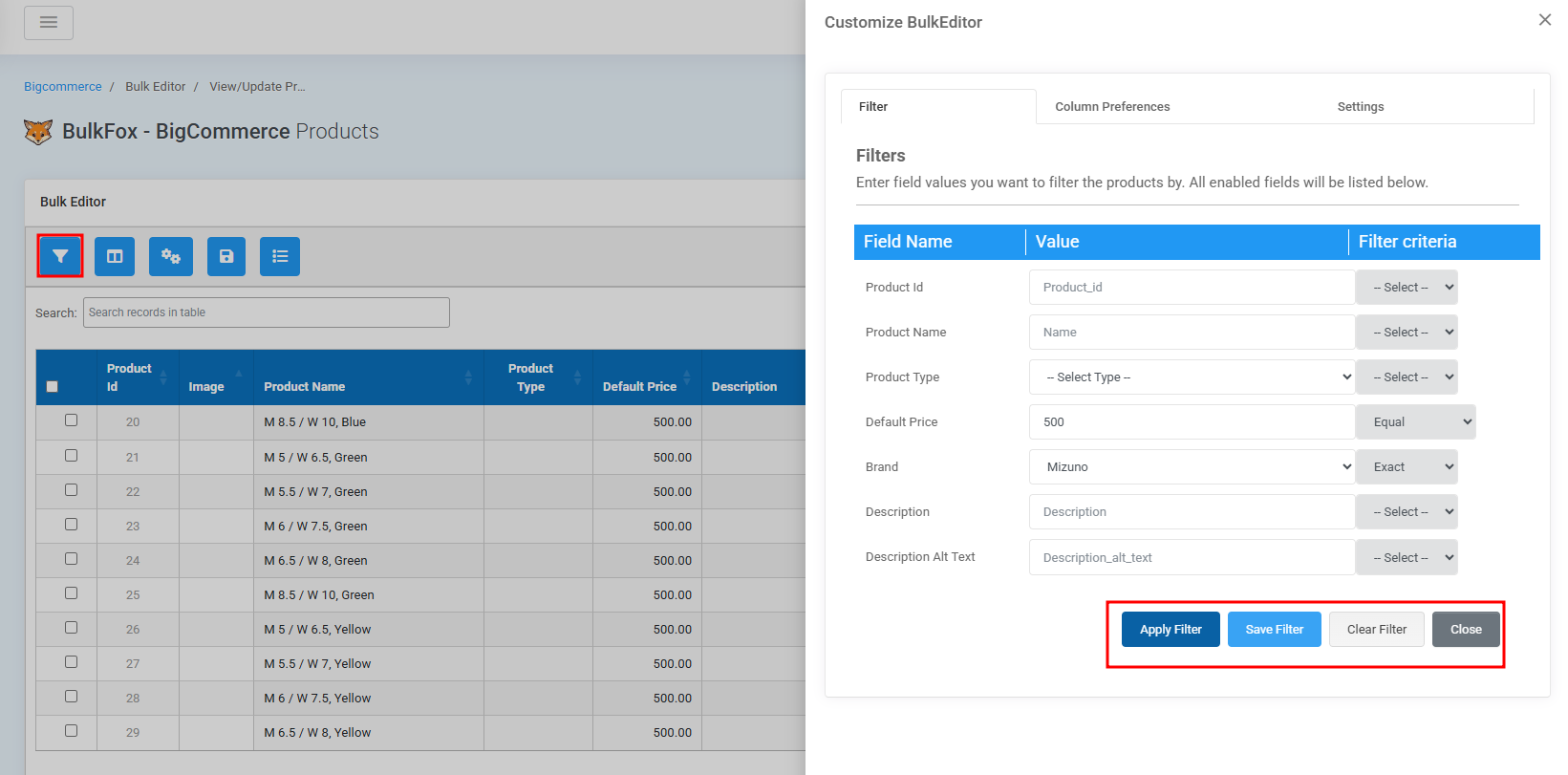
Step to Filter Products
Step 1: Open the bulk editor plugin interface.
Step 2:Click the 'Filter' button to open the Filter modal.
Step 3: Select your Filter Columns such as Name,SKU,Price etc.
Step 4: Set the filter behavior. ( Eg : Like,Exact,Not,Greater than etc)
Step 5: Click on Apply Filter Button - The Products will be narrowed based on your criteria.
(For example, filter products by “Brand = 4114566” and “Default Price = 500”.)
Note : Filters applied in this way are valid only for the current session.Step 6 : Click on Save Button - This saves your filtered product table for future sessions.
Clear Filter - Reset all applied Filters.
Close Button - Closes the filter window without applying changes.
Was this helpful?
Still need help? Share an idea