Bulk Editor Interface
The Bulk Editor Interface provides a powerful, spreadsheet-style environment designed to simplify the process of editing multiple products and variants simultaneously. This intuitive interface helps merchants manage large inventories with ease by offering quick, inline editing capabilities.
Last updated 7 months ago

Features Are,
Enable users to edit multiple products at once in a spreadsheet-like interface.
Provide customizable columns for selecting product attributes (e.g., price, SKU, product name).
Facilitate bulk updates to streamline changes across multiple products.
Ensure seamless integration within the Big Commerce platform.
Changing the store

Choose which store you wish to manage or interact with.
Allows users to switch between different stores or storefronts from a single interface.
After selection, You're taken to the Dashboard Home Page for the chosen store.
Toolbar
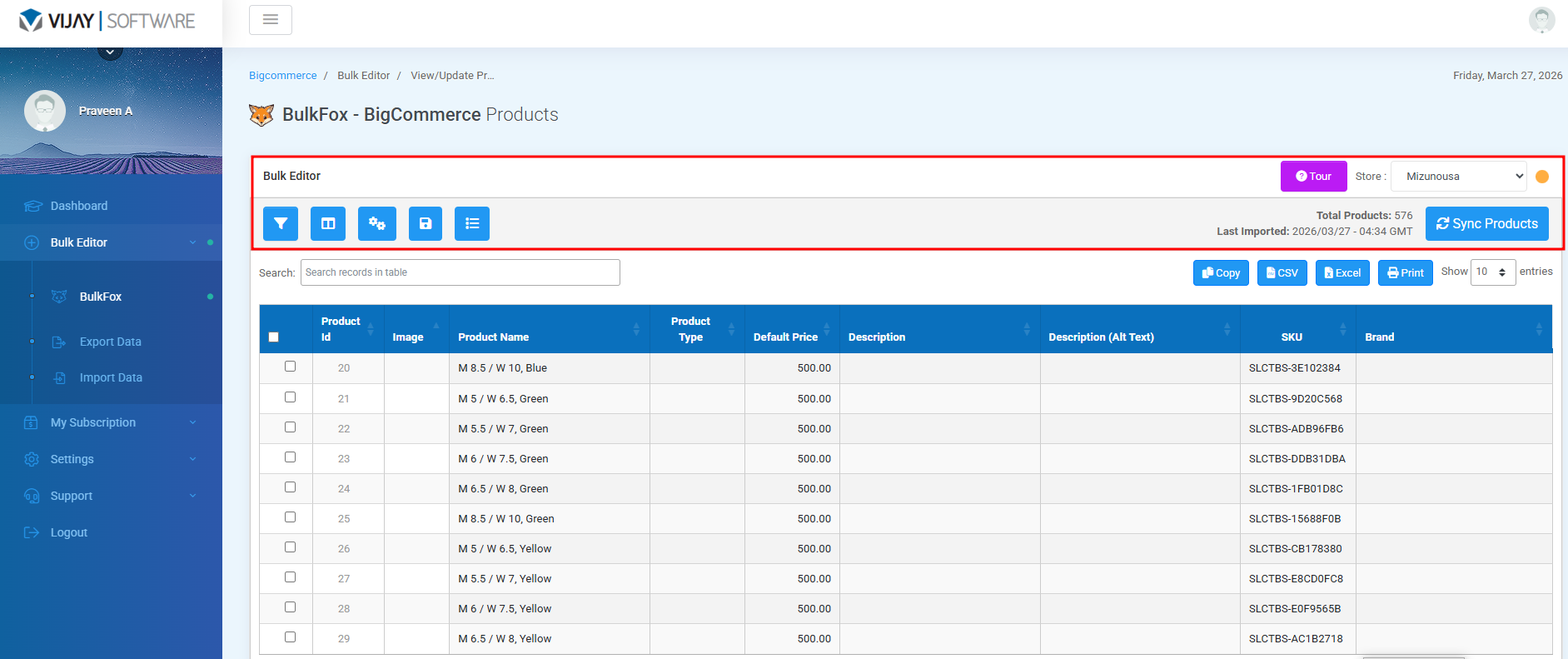
The toolbar plays a central role in managing bulk edits. It provides a set of actions like search, filter,Adjust columns to user preference , and sort products. And these tools that allow you to control and apply changes efficiently across multiple products or variants.
 | Product Filters - The Filter Functionality typically allows users to select and modify specific sets of data based on predefined criteria which makes bulk editing more efficient. |
 | Adjust Columns Preferences - It Allow users to customize which columns of data are visible ,making it easier to work with the specific information they need to modify in bulk.Also,users can set which columns they exclude to edit. |
 | Settings - From here, we can set number of products displayed on a single page. |
 | Save Changes - This allows users to apply all modifications made to multiple products at once. |
 | Bulk Update - The “update attributes of Multiple products at once” functionality allows you to modify products attributes in bulk,rather than editing them indivitually one by one. |
 | Toggle Fullscreen - This feature allows users to expand the bulk editor interface to occupy the full browser window. |
 | The Icon Tour feature in the Bulk Editor plugin provides a guided, interactive walkthrough of the plugin's key functionalities. It helps new users understand the workflow quickly and highlights important icons and features in the editor interface. This improves user onboarding and efficiency when performing bulk edits. |
 | The Sync Products feature allows users to load products directly from their Big Commerce store into the Bulk Editor plugin’s Products Table. This ensures that all products in your store are available for bulk editing, filtering, and updates within the plugin interface. |
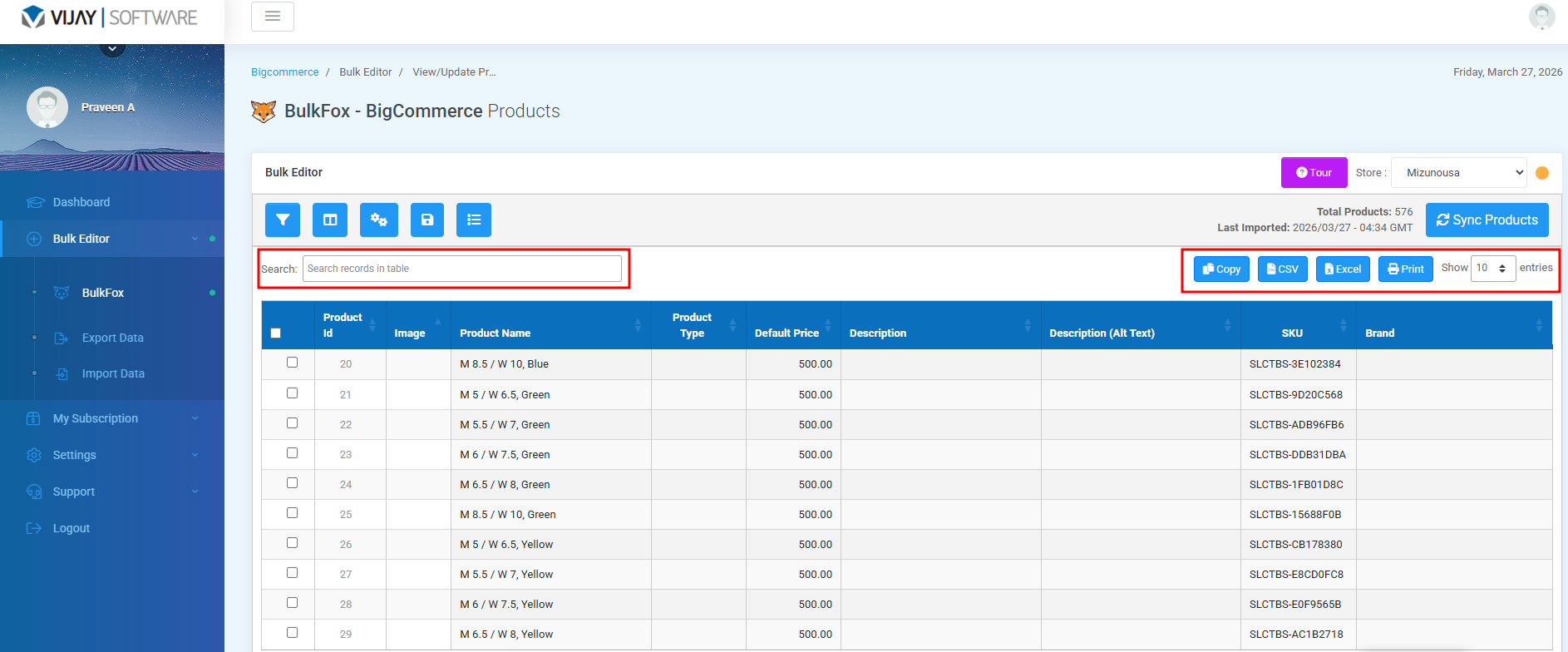
Search Field
The Search function allows users to quickly find products or rows within the editor by typing in a keyword or phrase. It dynamically filters the visible rows in real time based on the input.
Buttons on the right
 | Copy - Copies the selected data or to the clipboard, allowing users to paste it into a document, spreadsheet, or email. |
 | Excel - Exports the visible table data or the selected records into a Excel format for download. |
 | CSV - Exports the table data into a .csv file, useful for spreadsheets or importing elsewhere. |
 | Print - Opens a print-friendly version of the current table view, ready to be printed or saved as PDF. |
 | The Show Per Page feature allows users to control how many products are displayed at once in the Bulk Editor plugin’s Products Table |
Was this helpful?
Still need help? Share an idea